OVERVIEW
the tool
Steam is a powerful platform, and for a lot of us, it has been where we have spent 10+ years of our lives playing games and connecting with other people. What if there was a more interesting way to view your library? What if a glance could paint a picture of your gaming life? Meshy is a tool I have dreamed of for a while, and I'm glad I could finally bring it to life.
Meshy tells the story of a steam account at a glance and provides additional metrics and stats to further tell that that story. Meshy at it's core may just be a different way to view a collection of games. The secret is the relationship between you and your library, its uniquely personal when you see your own collection come to life.
YOUR MESH
your story, at a glance
I set out to create a new way to visualize your steam library. More specifically I wanted to find a way to represent your relationship with your games and your library.
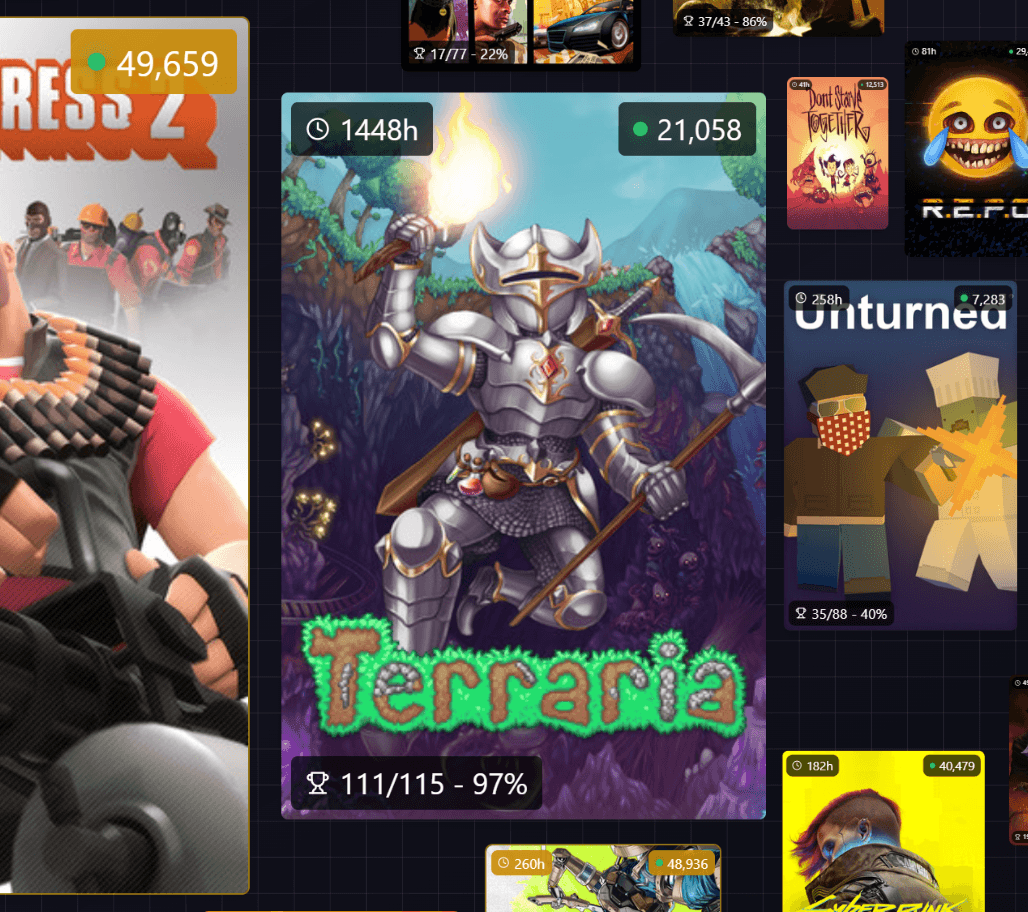
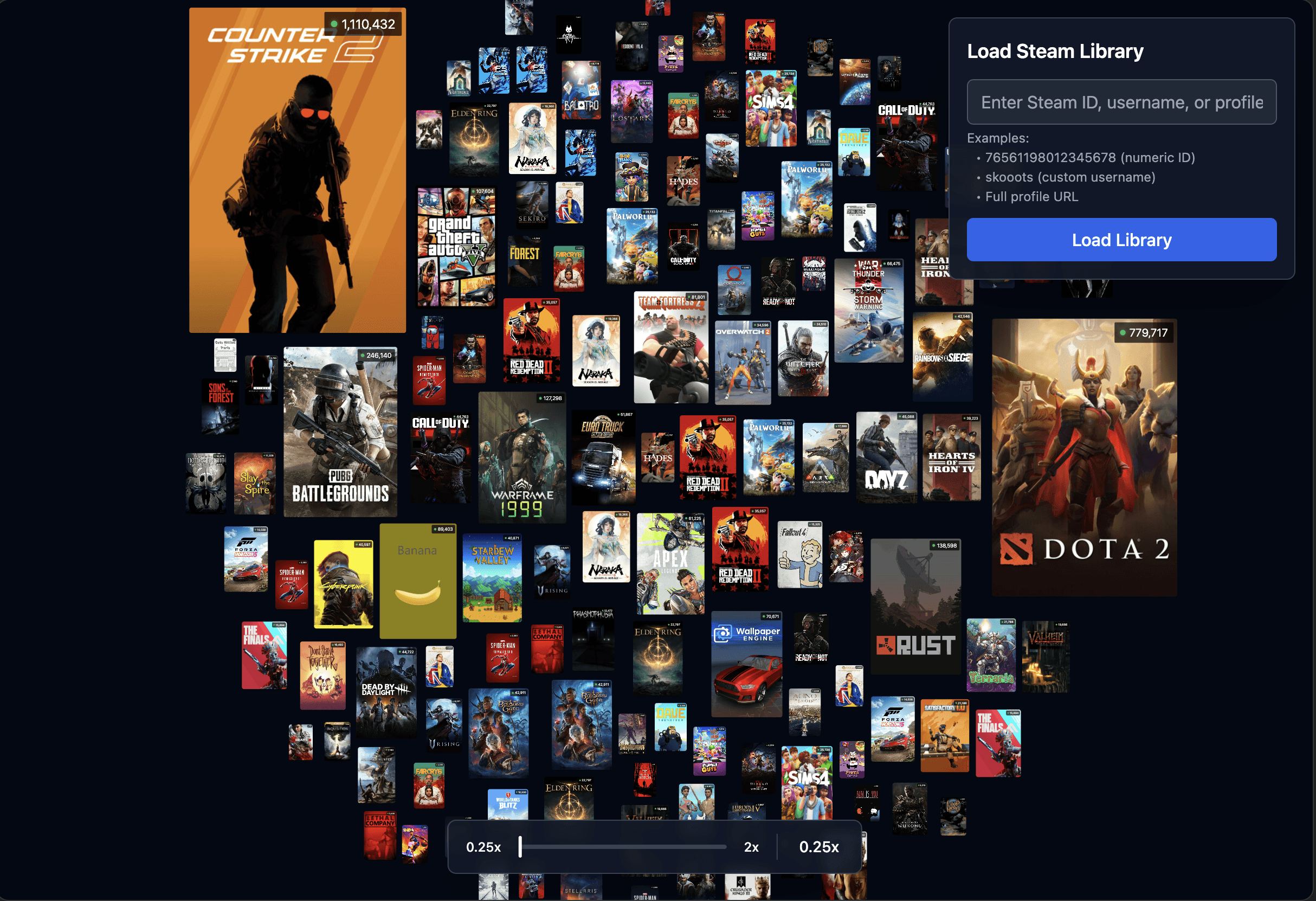
Meshy is built around Scale. Games are scaled based off your playtime. Those games then populate a radial mesh starting with the most played games in the center. By focusing on the games that are most iconic to you and working from there, you can instantly recognize someone's 'story'. Whether you're a cozy game farmer, or a PVP fiend, you can see where someone chooses to spend their time.
Meshy's use of scale and hierarchy wasn't an accident, its the core to visualizing a symbolic relationship with your games. This instantly recognizable design choice drives the visuals. What makes a collection of games special is your relationship with them, and Meshy puts that relationship front and center.
your games brought to life
To fill in the details in your story, Meshy also collects and displays stats for each game. You'll find personal stats like playtime and achievement progress displayed on each game card. In addition, you can see if you're on trend, or play more niche games by having a live player counter attached to each game as well!
Meshy is meant to feel alive and playful, so the UI revolves around that. The entire mesh moves and breathes to bring your library to life.
it's all in the details
Meshy also aggregates Steam store page information and blends that seamlessly into any user experience. By clicking on any given game tile you can view a ton of information found on their store page. You will see a plethora of information from the game including game info, tags, reviews, player count, release date, and achievement list.
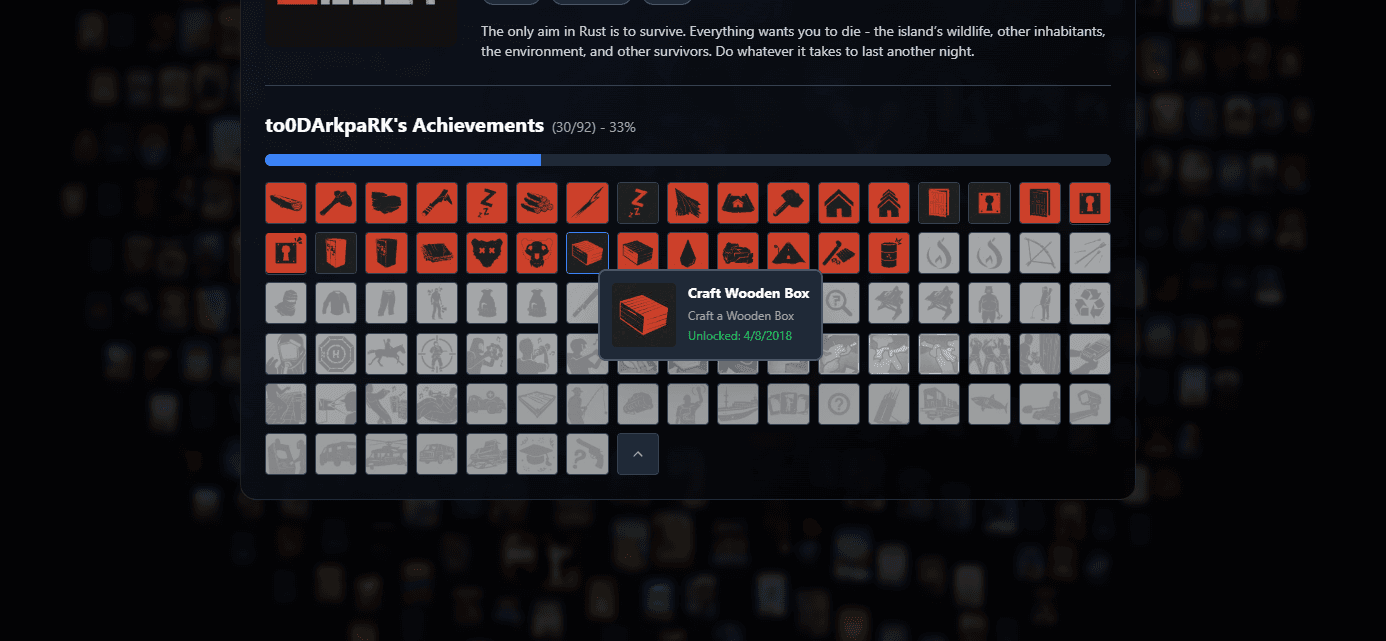
Achievements are a big part of my steam journey, so I felt they should be a big part of your story in Meshy. You can view a full achievement list in any given game. This list contains all of a games achievements with descriptions. I wanted the user to be represented as well, so you can see a progress bar representing all of the achievements you have unlocked, as well as the unlock date for each achievement listed in it's description.
I wanted Meshy to feel as 'integrated' with Steam as possible, and the solution for a web app like this is to have doors that open up the Steam app. Looking at a game on a friends mesh and you want to wishlist it for later? Clicking on the name opens up the steam page for that game. Want to view your game list in steam? Click where that stat is displayed and it will take you there. Want to visit your own profile for more info? Select your profile at the top right and it will open it up.
YOUR STORY
built around your history
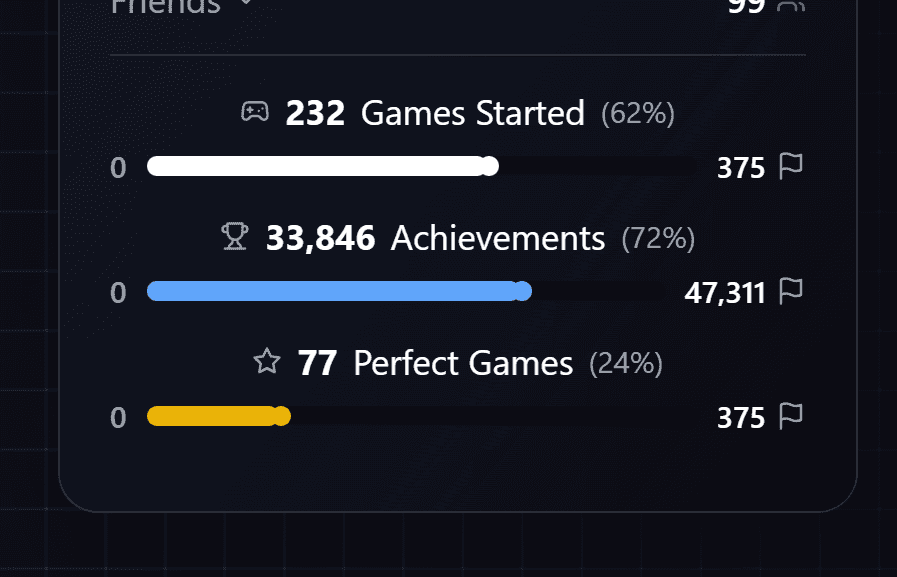
Meshy revolves around your journey on steam. To focus on your story, Meshy displays general account info on top of individual game stats. You'll find your account age, total playtime, and friends here.
purpose built for nerds
Meshy is a project built for nerds. But nerds can rejoice in all the information given by Meshy. There is a subset of gamers who love hunting achievements, so why not build that into the UX. Meshy puts your Steam 'progress' front and center by showing all of the achievements that you have collected in total.
'Games started 'may be an interesting stat to display for an outsider looking in. The Backlog has been a term coined by collectors of games, and a lot of people struggle to get through theirs with how often games are releasing. Steam users have picked up a infamous little trait of buying games because the discount is so good. Meaning they have hundreds of games that they have never even played in their library.
inherently social
Gaming is a generally a social hobby. Steam has tons of social features, it would be wrong if Meshy didn't take advantage of that.
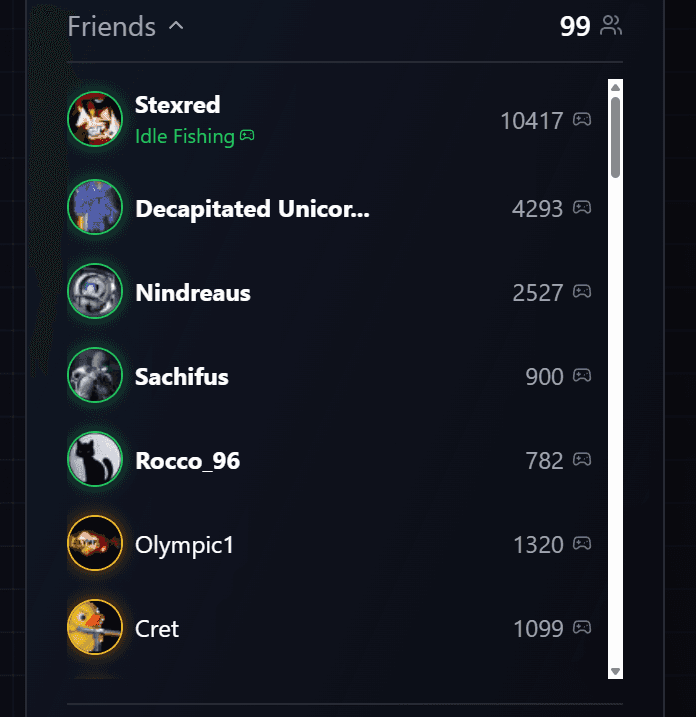
Built into your user profile you have an interactive friend list. This list not only displays user stats like game counts and their online status, but it is fully interactive.
You can click any user profile to view their Meshy page. Viewing someone else's story doesn't hold the same weight as viewing your own. But you can share stories over meshes, even if that means teasing someone for having 3000 hours in a single game.
Interactive friends list to see friends and their meshes
AI COMMENTARY
my journey with a 'vibe'
This was a multi-faceted project with a quick turnaround time. I knew what web app I have been wanting to make for years, as well as having a school assignment come up that required me to use a new vibe coding interface called Bolt.new. So this project was a direct result of learning and using their AI.
Bolt is extremely powerful as long as you know what you want, and have the patience to keep an eye on everything it does, as it loves to add random features and things you did not ask for. One of cooler features, which could be perceived as a pro or con, is that Bolt remembers whatever you call something, making the conversation feel more natural. Don't know the term modal and keep calling a user details window? That's fine, Bolt understands and works with you.
the plan
Coming into this project I had a really good understanding of what I wanted from the final project, and more specifically it's feature set. With any type of coding, it's extremely important to know what you want and plan ahead as it allows you to work through the building blocks before diving into the deep end.
Knowing that I was heavily integrating the SteamAPI I consulted our lovely friends, the AI crew. I first ran some queries through Bolt to see if it understood what the SteamAPI was, but also how to integrate and understand it. While it was doing some research, I did my own! I jumped into the Steam documentation and got an understanding of what kind of systems they had, and info they report. I also went to Claude to work out how using the SteamAPI works as I have never handled API calls and working with another system like this.
After figuring out if it was possible, I jumped into writing out my plan. I created a design doc that listed out features. I organized them as if I was building a tower out of legos, I took the core functionality and placed it at the bottom and then layered the additional features on top. This structure allowed me to create the bones of the app and test those, then effortlessly integrating the new systems and features.
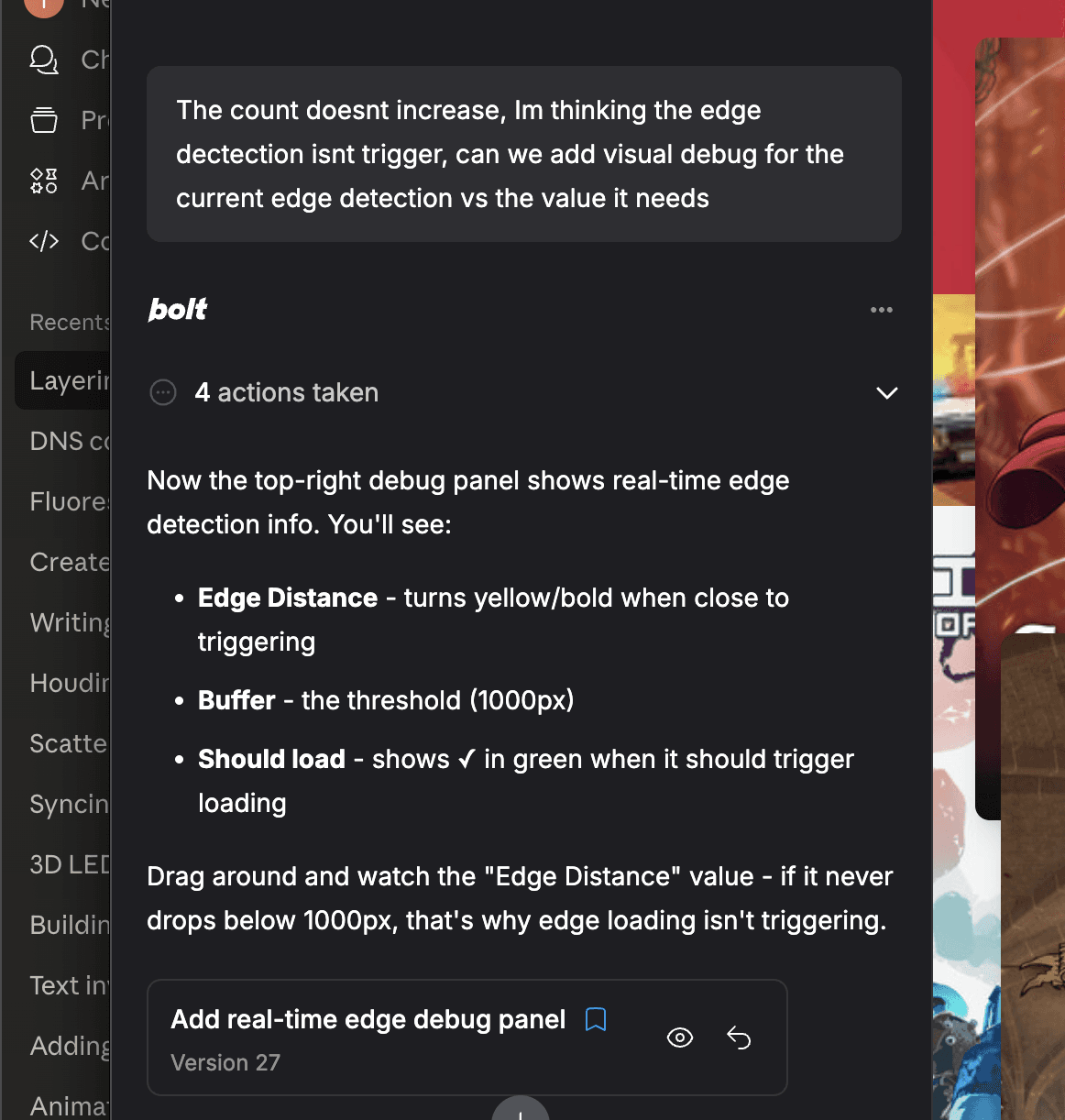
rapid iteration across 220 versions
Its easy to lose your scope and just keep side questing. Having a plan, especially with Bolt constantly trying new things, was extremely useful to keep me on track as this project didn't have much time. While going through my tower of features, there's an emergent nature to coding: you'll have new ideas and features pop up as you work. It's important to not go off on a whim and build a bunch of scattered features, but to integrate those in later.
A good example was towards the end of this project. I knew I wanted this to be a public facing app, but I hadn't even thought about a global audience. A bug had appeared where when the API would return game information in a random language. This bug evolved into an entire research session and a new feature. I was able to implement a region selector that allows you to select which supported language you want the SteamAPI to return. In the process of this, I took a second to learn about how a regional detector works to implement an automatic region detector as well.
These emergent problems and solutions are rewarding and fun to explore, but you need to be aware of what you're doing. Following any random thought or feature quickly adds to the complexity and spontaneity of your code, especially when vibe coding with an AI.
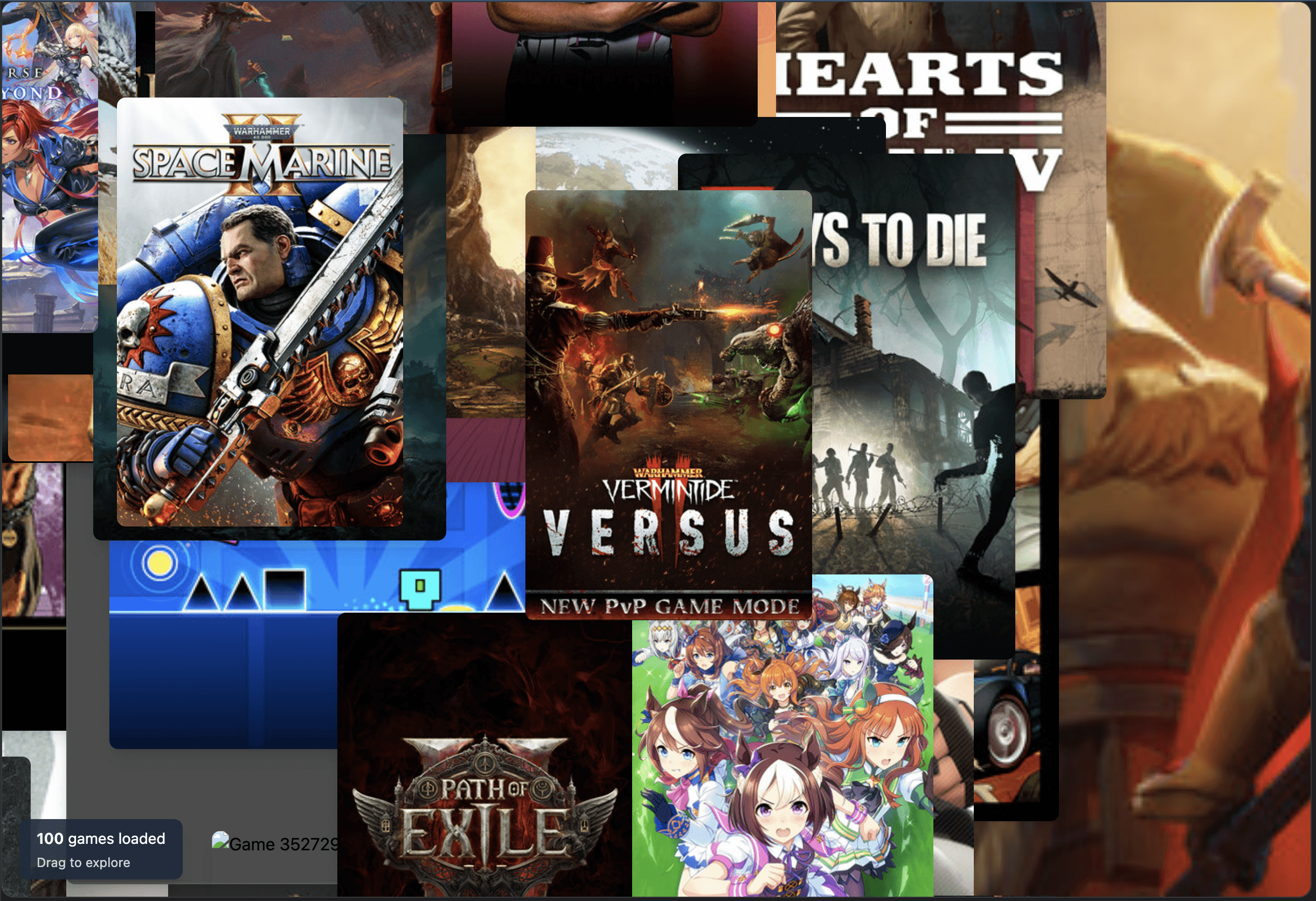
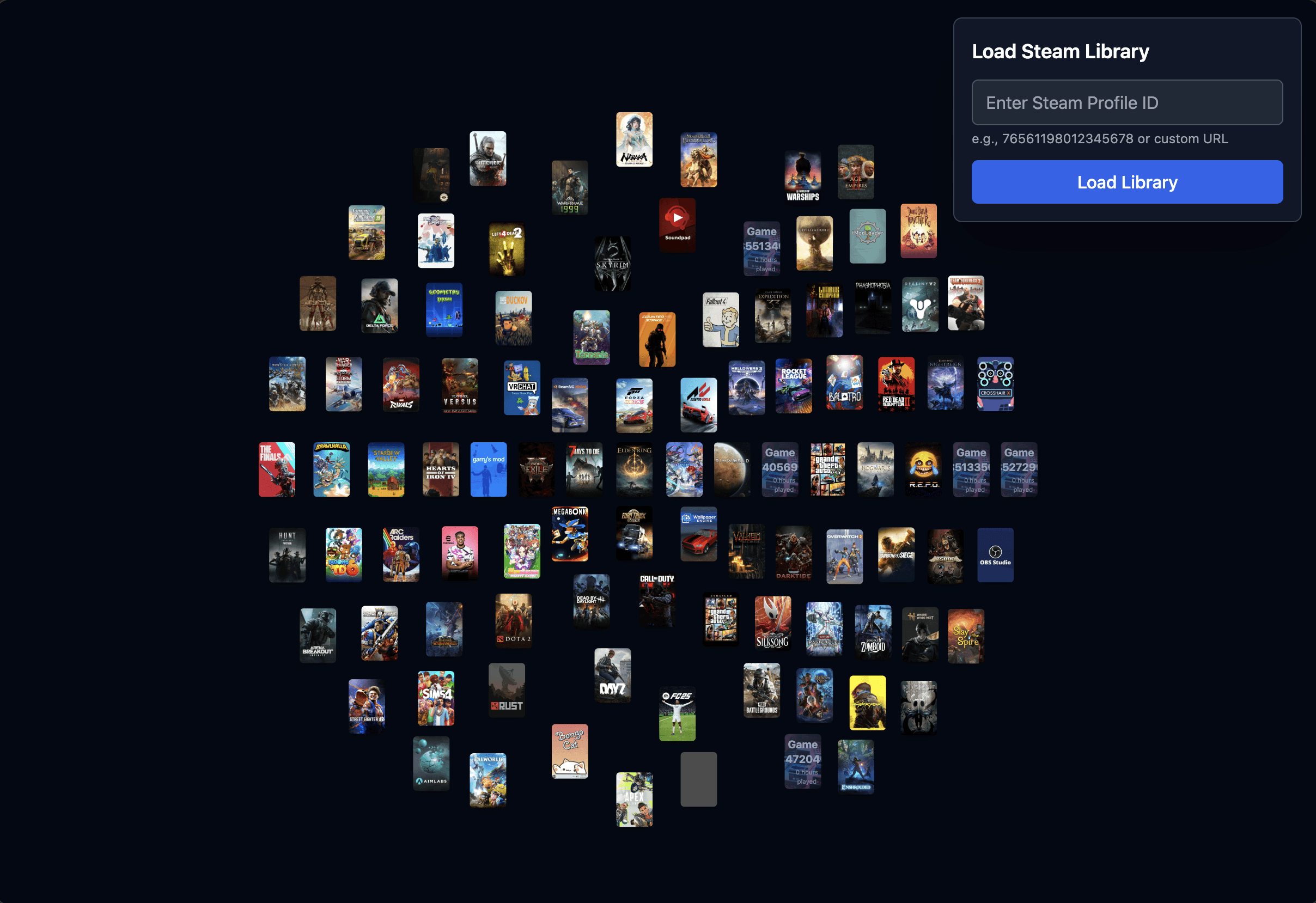
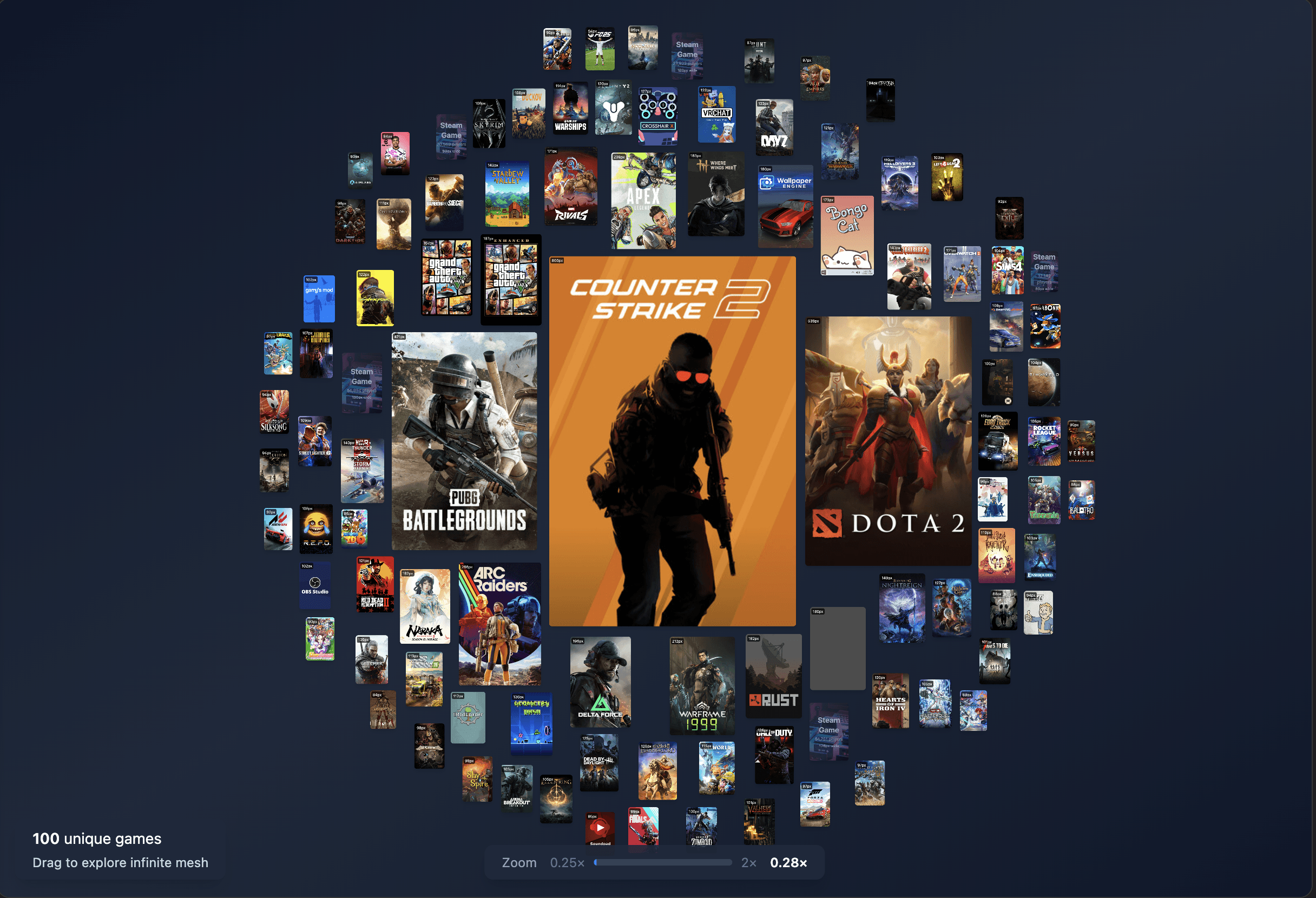
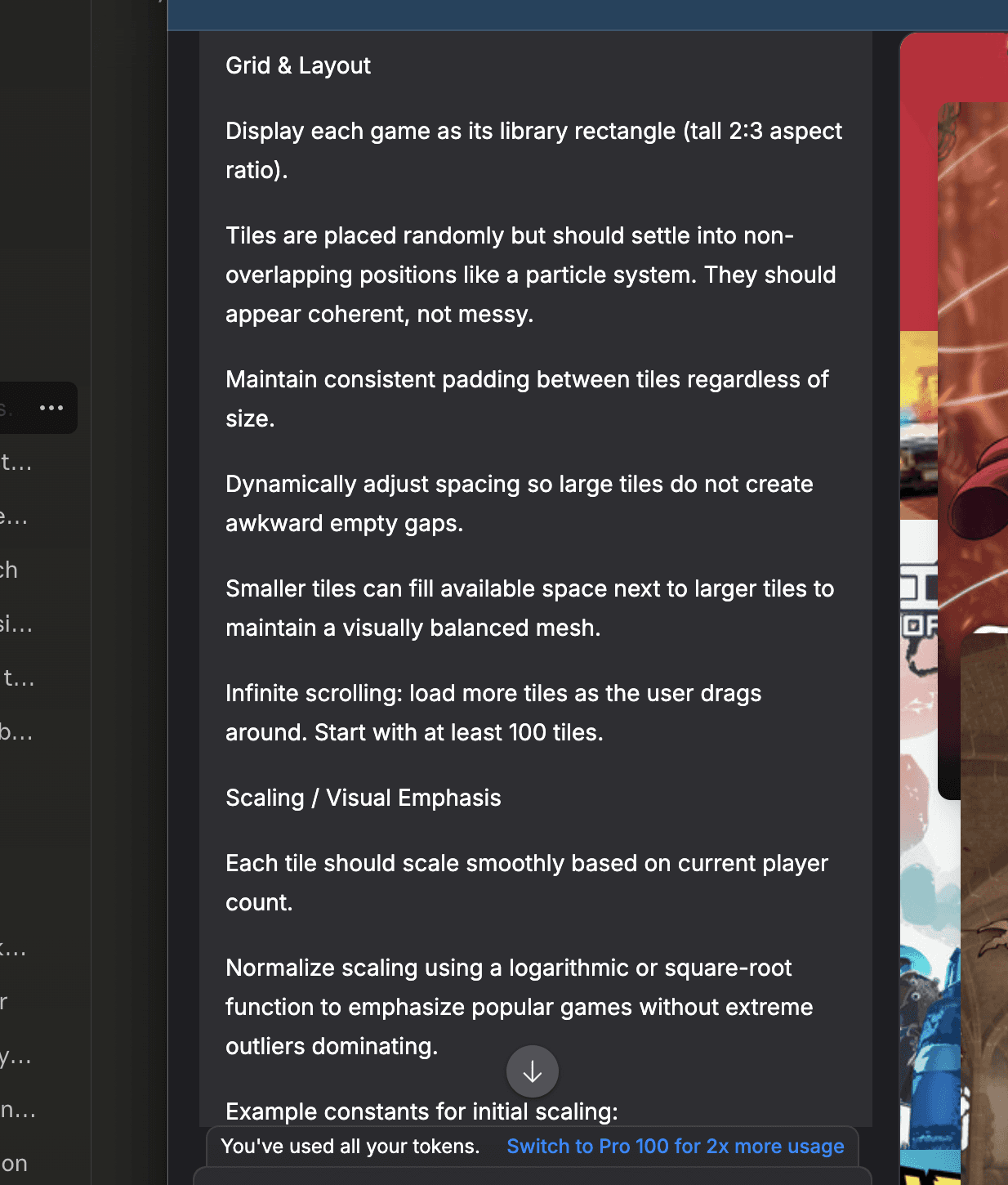
Bolt was extremely helpful but also very eager to constantly 'do more'. My version history is so long because I found it best to work with smaller features at once to hand hold Bolt and ensure it isn't side questing and adding additional features and changing things you didn't ask for.
I have a version history of around 240. Bolt's UI allows you to scrub through your history and preview your app in different states, which is a truly awesome feature.
'black box' ai editors
I've now 'vibe' coded a few different one off tools for various projects. Meshy was by far the biggest thing I have had used AI for in my educational career. I am very happy to have had this experience as I love how the app has turned out, but it painted a very clear picture of how I want to use AI in the future, and help me draw my personal line in the sand for how I stand on AI.
I know this is a tricky subject to talk about as AI has been revolutionary, but just as equally destructive as it grows in its capabilities. I originally studied Computer Science in school, and I have friends who are in their careers dealing with the fallout of it, and I don't like vibe coding, at least in the context of how Meshy was created.
I am all for the power of AI as a learning tool, or an aid as you work. I do not like the 'black box' feeling that Bolt gave me. It was great to see it churn out features and UI redesigns in blazing speeds. At the same time, I lacked any sense of personal involvement. I talked with a few of those CS friends I mentioned, and the line I drew was that if you ask someone to change a specific thing in the code, or how it works, and they don't know because the AI did it, then they took it too far. Writing the python scripts for my other tools with AI and asking about how I write my code, and more efficient ways to write it, is how I prefer to 'vibe' code. I personally feel like I need to have my hands on the code, and understand what I, or the AI, is writing so that I can learn and grow from it. Where with Bolt, I could not tell you what it did to make Meshy, any one prompt would result in changes in 5+ classes and rewrites in all sorts of other files.
SO WHAT?
the takeaway
Meshy came out exactly how I envisioned it! I am so happy to have had the opportunity to create something like this and I don't think I could've done it in my current state without the massive amount of learning and opportunity that AI had given me here.
As I previously mentioned, I do not like the sensation that vibe coding like this provided, but I still acknowledge the powerhouse that AI is for learning new subjects. I am happy that I got to explore Bolt and Meshy as a way to further my own skillset with AI. Working with Bolt on this project had shown me the best way to work and iterate with AI. You go step by step instead of giving a full breakdown and plan and praying that it gets it right, you instead walk through each step of the project as if you were tackling it yourself. This results in more individual prompting and a longer conversation, but that opens a door for faster iteration with a rollback history. All on top of less token consumption due to less errors.
The skill I am personally taking forwards is the ability to plan a project and break it down and building layers with my projects. Starting with a functional base and slowly integrating each feature into that base made this project a breeze with minimal issues. I believe taking this approach is important to any project in any discipline, with and without AI.